Fauna Schema Language quick start
This introduces you to the Fauna Schema Language (FSL) by using the Dashboard to view and change the demo data schema.
While you can use the Dashboard to manage and change schema, in practice, you want to integrate schema operations with your source code management tools, which you can do using the Fauna Shell.
Browse the schema in the Dashboard
This uses the Fauna demo data to walk you through basic operations on the supported schema elements.
-
If you haven’t already done so in Dashboard quick start, go to the Dashboard Home page and click the CREATE DATABASE button. Otherwise, skip to the next step.
In the Create Database dialog, enter a Name for the database and select Use demo data. This example uses
fslDemoas the database name. You can leave all other options in their default state.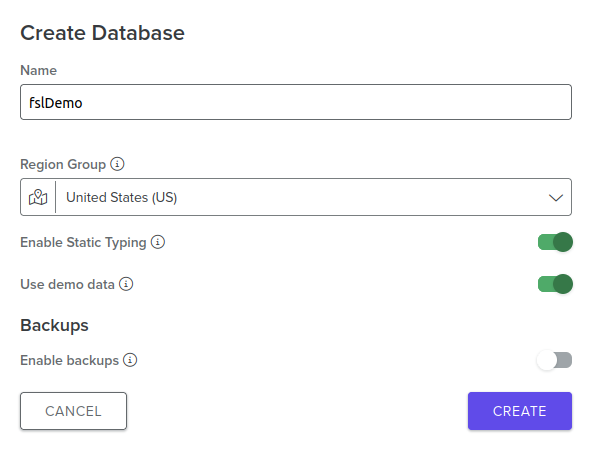
-
Click the CREATE button to create the database.
-
In the Databases panel, select the demo database you created to view it in the database Explorer page. On the bottom-left of the page, you can see the database entities supported by FSL:
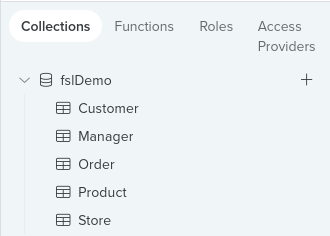
The schema elements are shown in the header:
-
Collections
-
Functions
-
Roles
-
Access Providers
The
Collectionsentity is selected by default, and the demo data collections are also listed.
-
-
In Collections, choose the
Customercollection to view the schema for that collection. The three demo data customer Documents are also listed, but FSL doesn’t yet support Documents: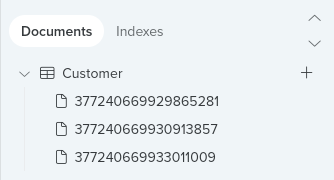
In the Dashboard Shell window on the right, you can see the schema defined for the
Customercollection: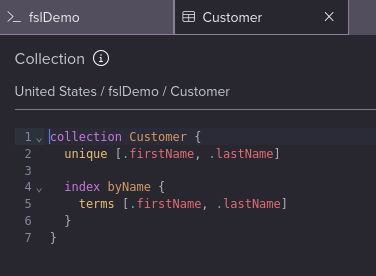
The collection has a name,
Customer, anindex, anduniqueconstraint defined. -
For another collection example, click
Productand view the schema forProductin the Dashboard Shell on the right: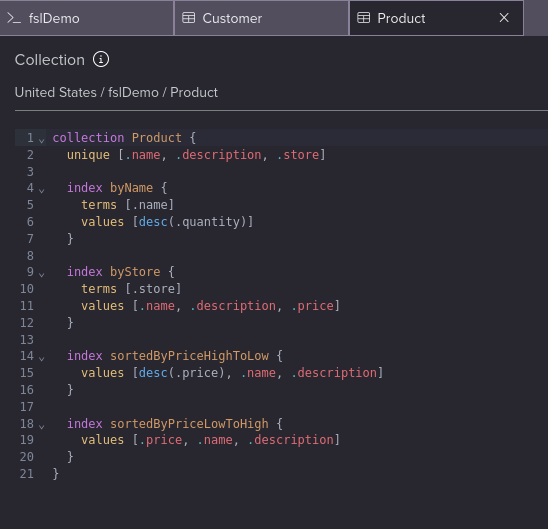
A
uniqueconstraint is defined, and moreindexes. In addition to thehistory_daysandttl_daysfields,indexanduniqueconstraint are the other Collection properties supported by FSL. -
To view a function schema, choose Functions in the header and select f(x) inventory:
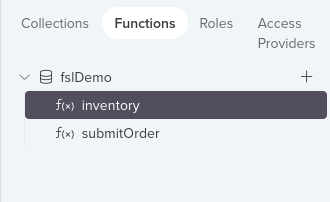
In the Dashboard Shell, you can see the function schema.
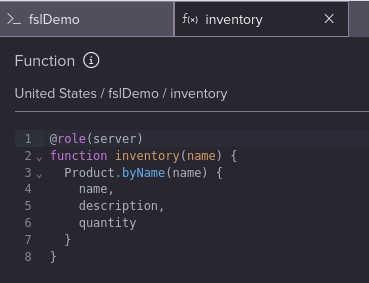
The schema includes the function name,
inventory, function parameter, and the full function body.Functions can also include an annotation,
@role, which is a way to assign a role to a function using FSL notation. In this example, theinventoryfunction runs with theserverrole.
Next step
Learn more about working with schema by trying the exercises in the FQL language and API DevOps tutorials.
Is this article helpful?
Tell Fauna how the article can be improved:
Visit Fauna's forums
or email docs@fauna.com
Thank you for your feedback!